Windows 10 Home
Installation Information
If you do not already have Windows 10 Home, download and install it from here: https://www.microsoft.com/software-download/windows10
Common activation errors:
-
1
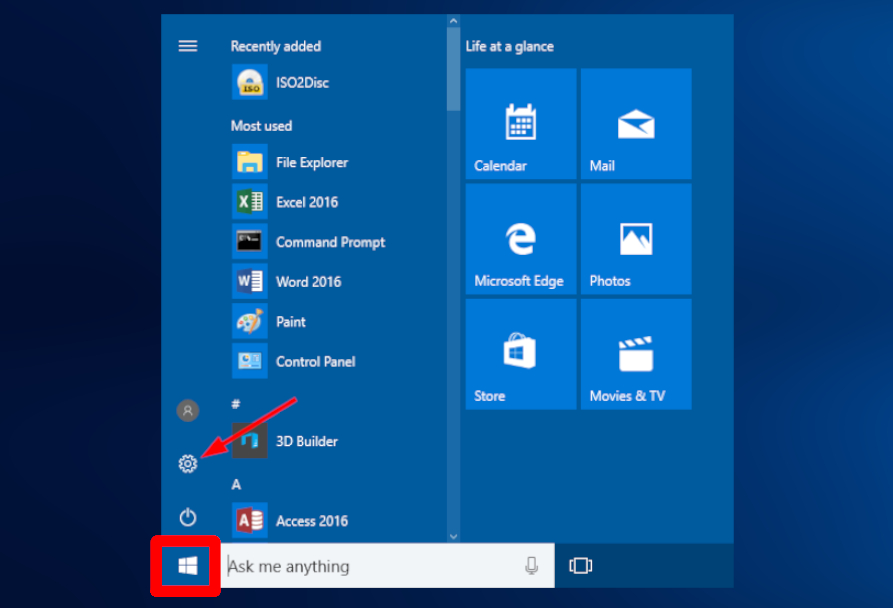
Start > Settings (gear icon).
-
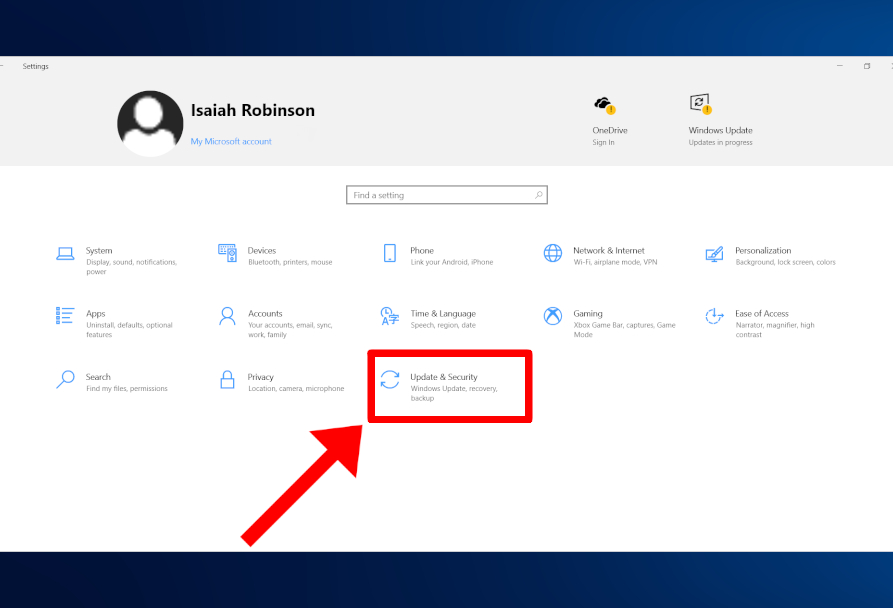
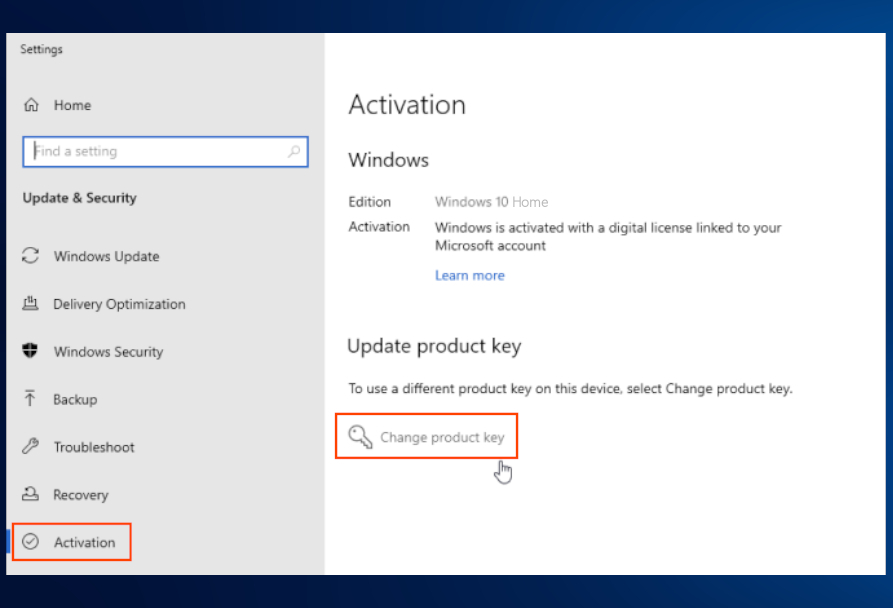
2Go to Update & Security.
-
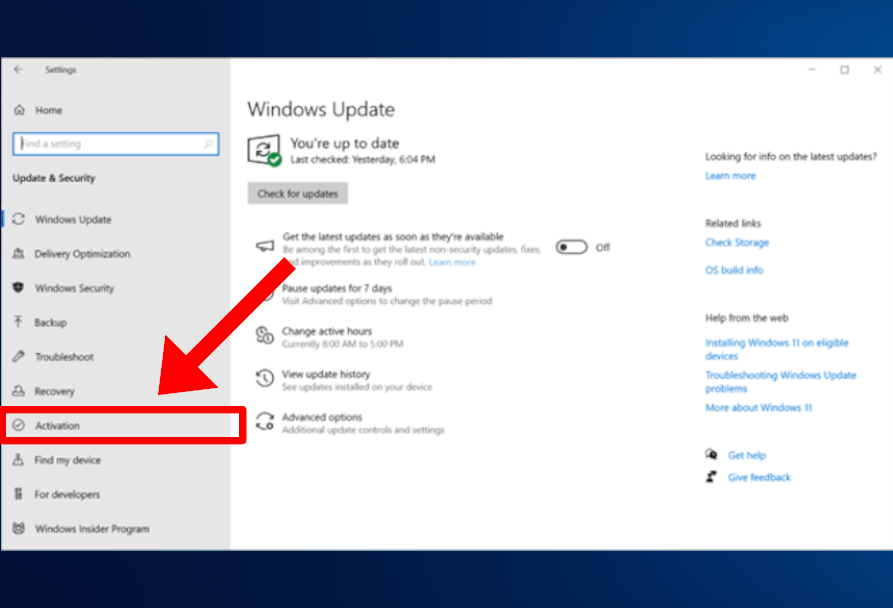
3On the left, select Activation.
-
4Press Activate or Change product key.
-
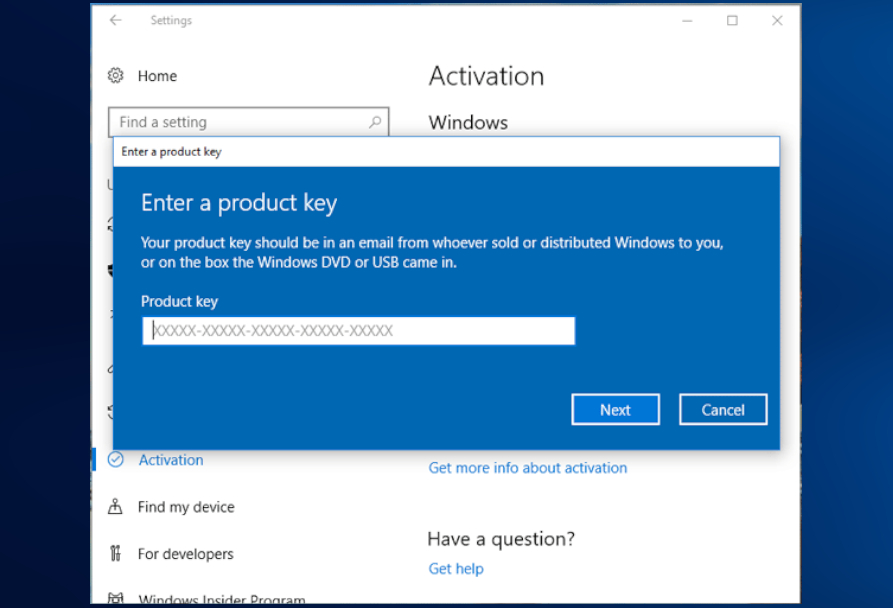
5Enter the key received at purchase.
-
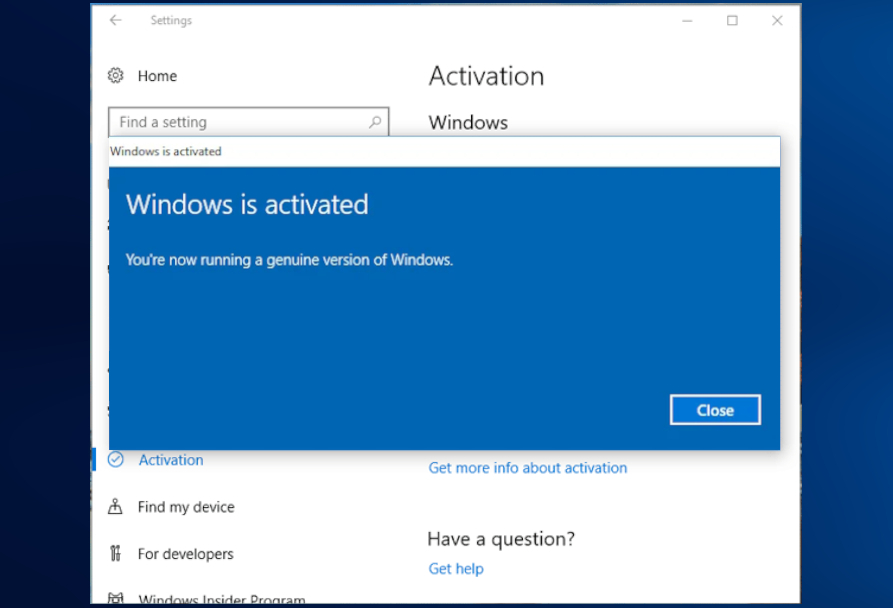
6A pop-up message will appear: 'Windows activated'.